Build Recipe
Hand-picked tools, stitched together.
Overview
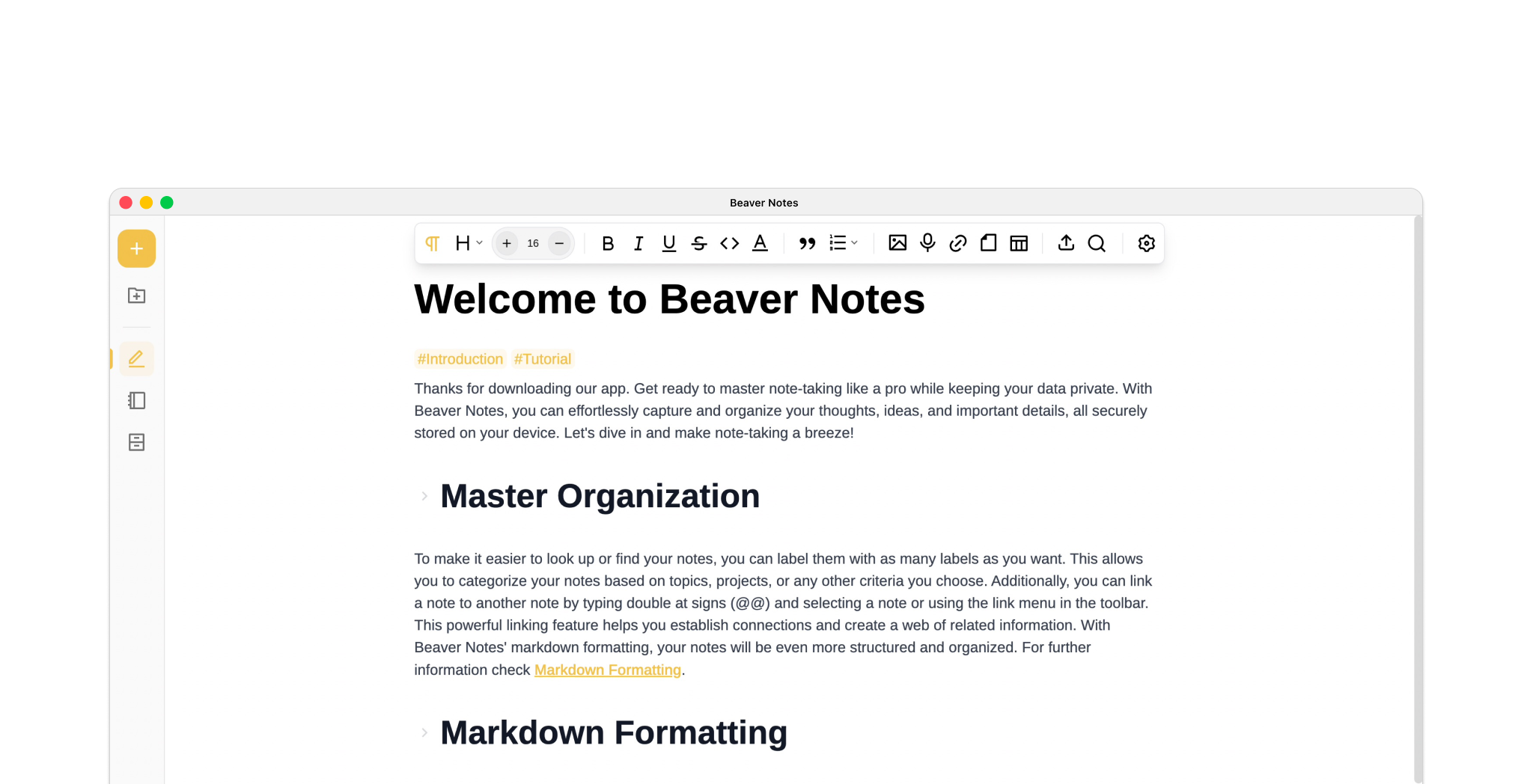
Beaver Notes is an Electron + Vue desktop notes app built around local-first storage. Notes are stored on-device, with optional sync that can be configured to match different workflows. It started as a personal project and grew into an open-source project used by real users.
Unlike most note apps that default to centralized storage, Beaver stores all data locally by design. Sync is fully optional and configurable, giving users control over where and how their data moves.
What started as a personal tool quickly evolved into a production-ready platform with active real-world users.
Problem
Most modern note-taking apps trade convenience for privacy. They require accounts, store data on proprietary servers, and restrict export or sync flexibility. I wanted to build something that:
- Works entirely offline
- Gives users full ownership of their data
- Allows custom sync workflows (Cloud providers, self-hosted options, folders)
- Feels fast and lightweight despite being built with Electron
Architecture
Beaver Notes is built using:
- Electron for cross-platform desktop support
- Vue for a reactive UI layer
- Pinia for predictable state management
- TailwindCSS for utility-first styling
The application follows an offline-first architecture:
- Notes are stored locally on disk
- The UI reacts to filesystem changes
- Sync runs as an optional layer on top of the local data store
State is normalized and decoupled from persistence, making it easier to extend features like tagging, folders, and embeds without tightly coupling logic to storage.
Features
Over time, Beaver evolved into a full-featured writing environment. Key features include:
- Tag-based organization
- Nested folder structures
- Markdown support
- Code blocks with syntax highlighting
- Math blocks (LaTeX-style rendering)
- File embeds (documents, audio, and more)
- Customizable sync workflows
- Offline-first data model
The goal was not to add features for the sake of parity, but to ensure each addition aligned with performance, privacy, and simplicity.
Challenges
Some of the main technical challenges included:
- Designing a clean state architecture that wouldn’t collapse under feature growth
- Handling filesystem-based storage reliably across operating systems
- Preventing Electron performance degradation as note collections grew
- Keeping the UI responsive during sync operations
Performance tuning and state isolation were critical as the app scaled.
Impact
Beaver transitioned from a solo project into an application with real users. That shift required:
- Handling bug reports and feature requests
- Improving stability and error handling
- Maintaining backward compatibility
- Writing clearer documentation
It became less about building features and more about maintaining a sustainable product.
Lessons Learned
- Shipping early reveals architectural weaknesses faster than planning ever will.
- Offline-first systems require careful thinking around sync conflict resolution.
- Simplicity in UX often requires complexity in implementation.
- Maintaining software is harder than building it.
Beaver Notes was a turning point from “project” to “product,” forcing me to think beyond code and into long-term sustainability.